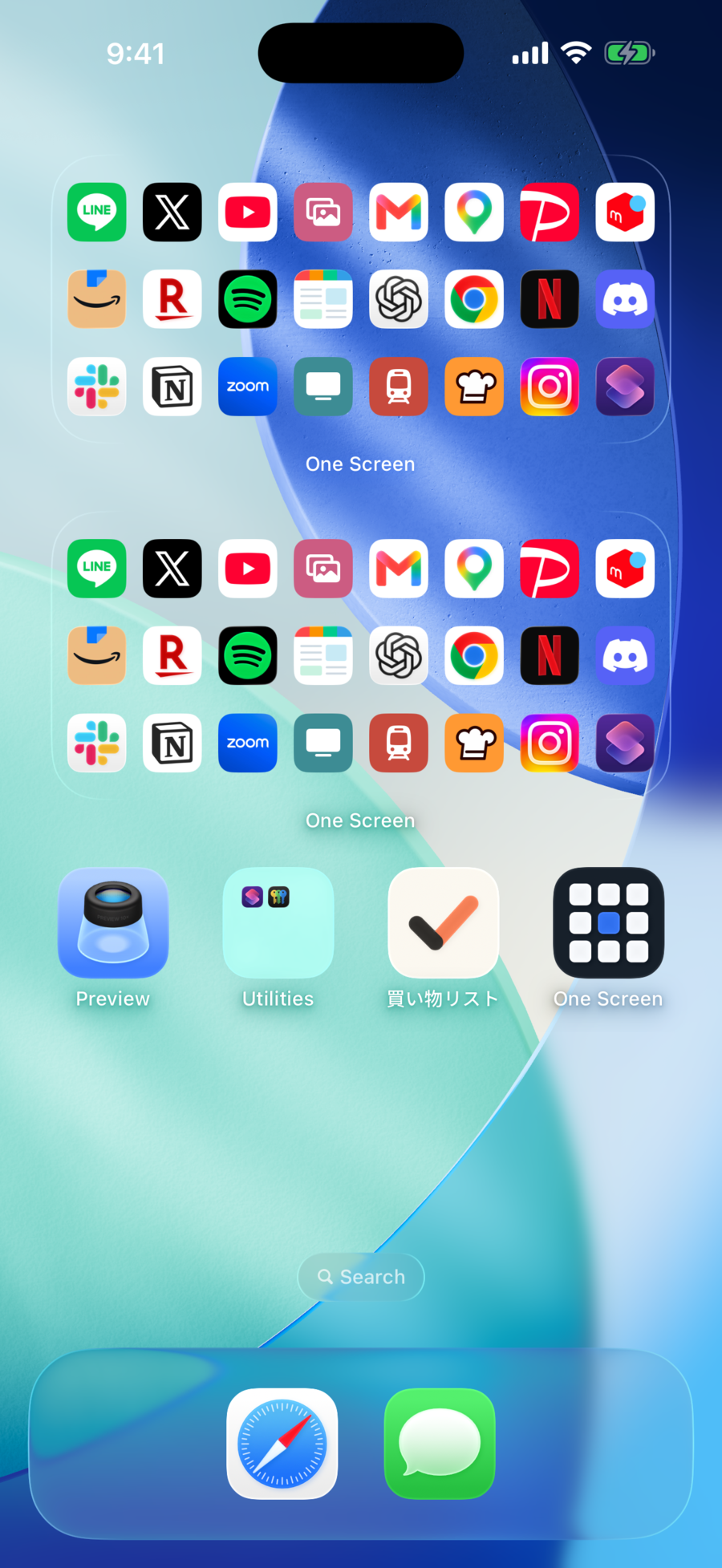
Every widget you add steals room from your app icons. Push the overflow to page two and those apps are never opened again. One Screen fills the widget itself with apps — more than twice as many in the same area, and a tap opens the app immediately.
Coming soon — the app is in review.
The idea
Anything a swipe away stops getting found. Keep everything on one page instead, and there is no room left for widgets. A cramped Home Screen is a density problem, not a count problem — and that is the only thing One Screen solves.
Each app spends a full slot on artwork plus its name. Add one medium widget and eight of those slots are gone.
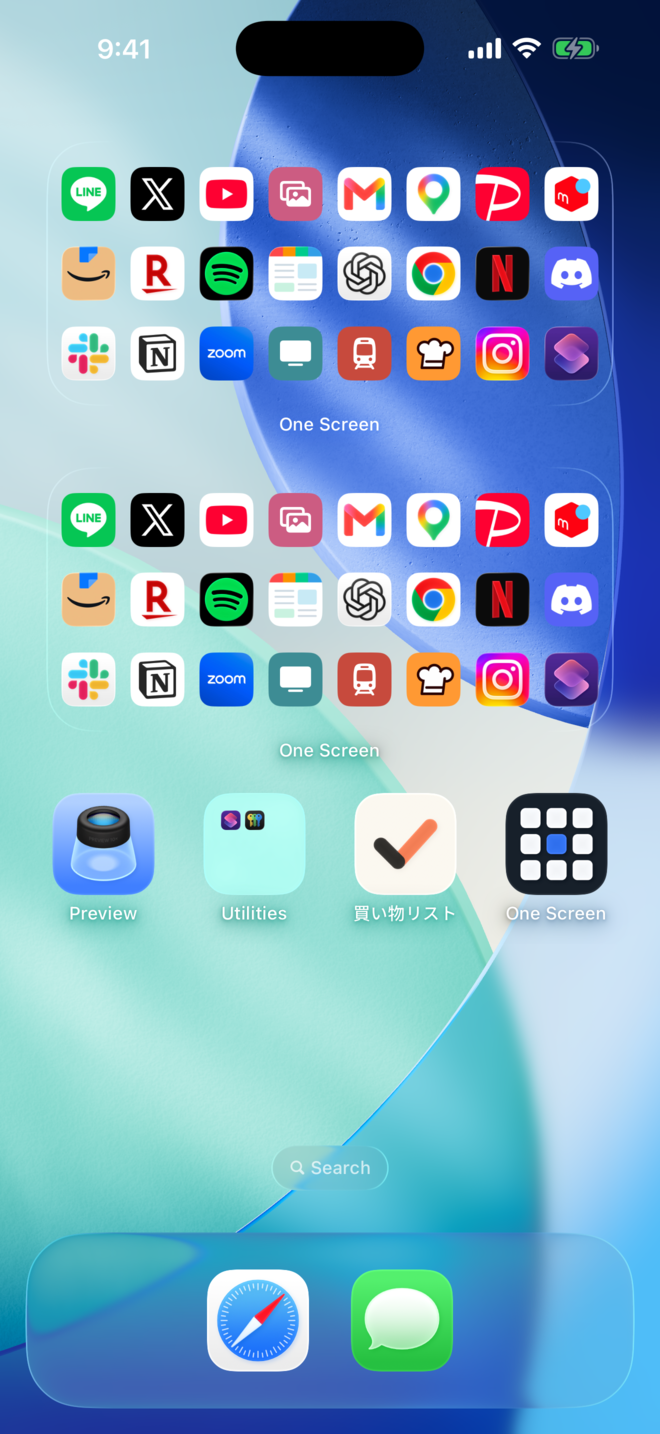
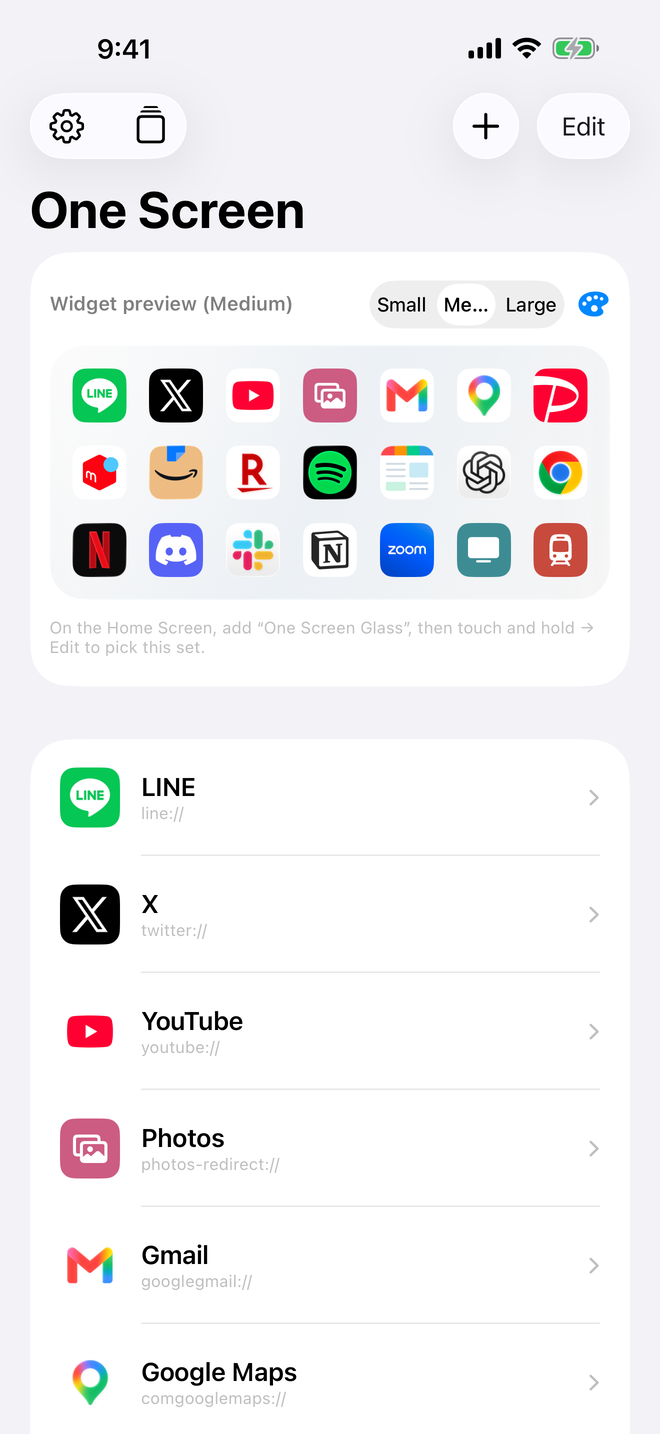
Names come off and icons spread evenly edge to edge. Nine on small, 21 on medium, 56 on large — with even gaps, so it never feels crammed.
The part that matters
Most launchers open themselves first and bounce you onward. That half-second of detour repeats dozens of times a day. One Screen stays out of the way — tap an icon and that app comes straight up.
Apps launch directly from the widget. You never see a One Screen screen flash by.
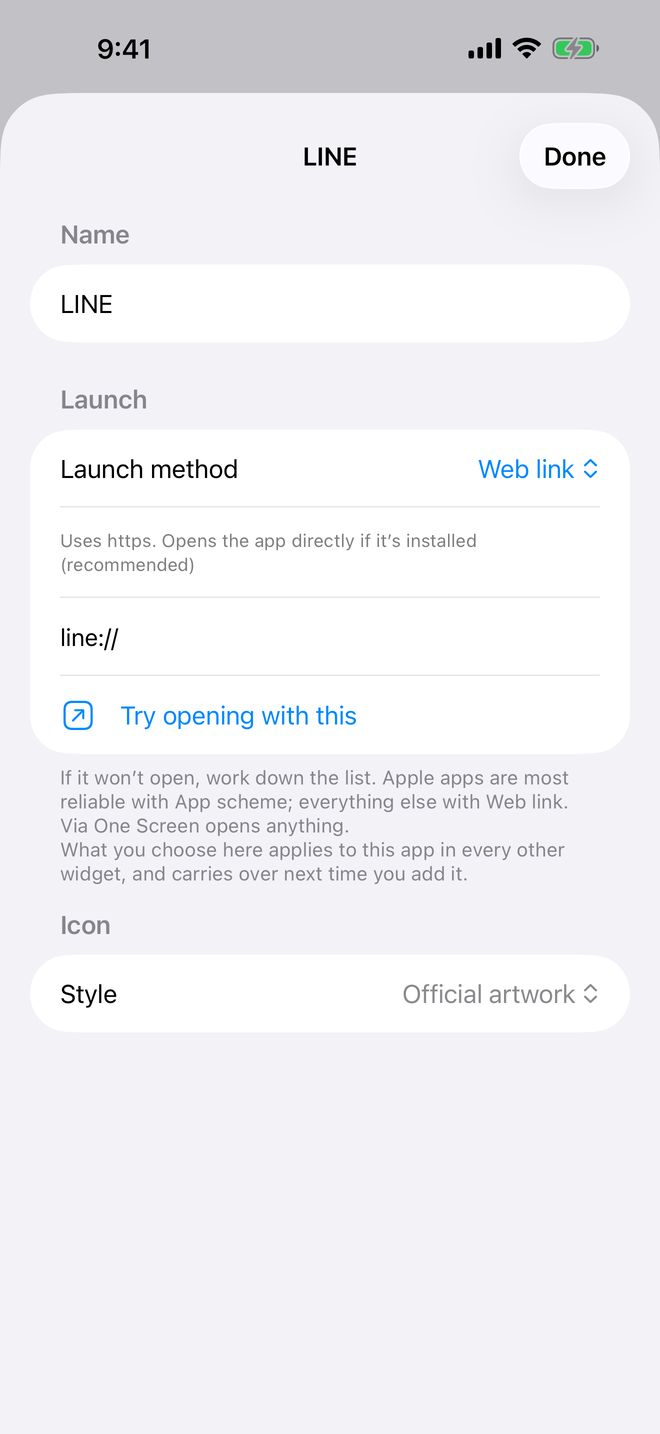
Different apps need different launch methods. When one won't open, switch the method for that app.
Set a launch method once and every widget holding that app uses it.
Screens
Getting started
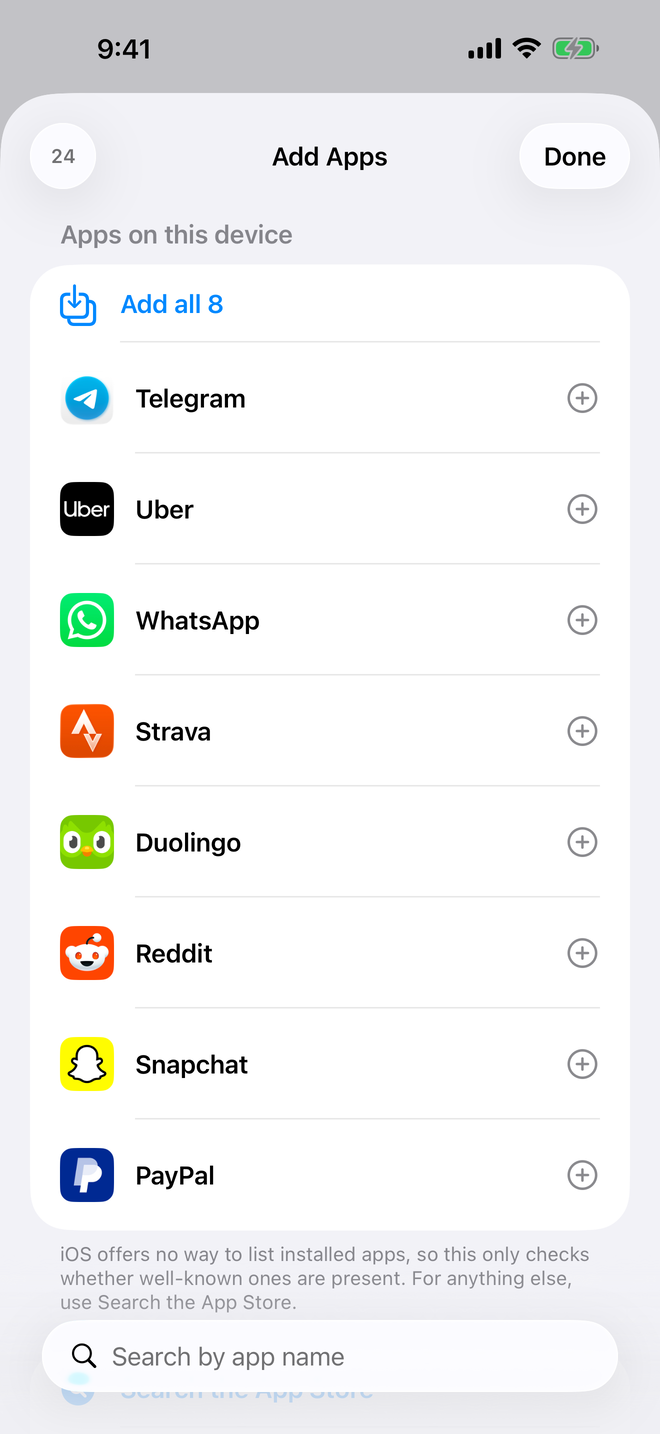
Installed apps are detected for you. Add more from a catalog of 270+ apps worldwide, or search the App Store for anything else.
Drag to reorder. The preview inside the app matches exactly what lands on your Home Screen.
Add it, choose which set it shows, and you're done. There's no reason to open the app again.
Sets and looks
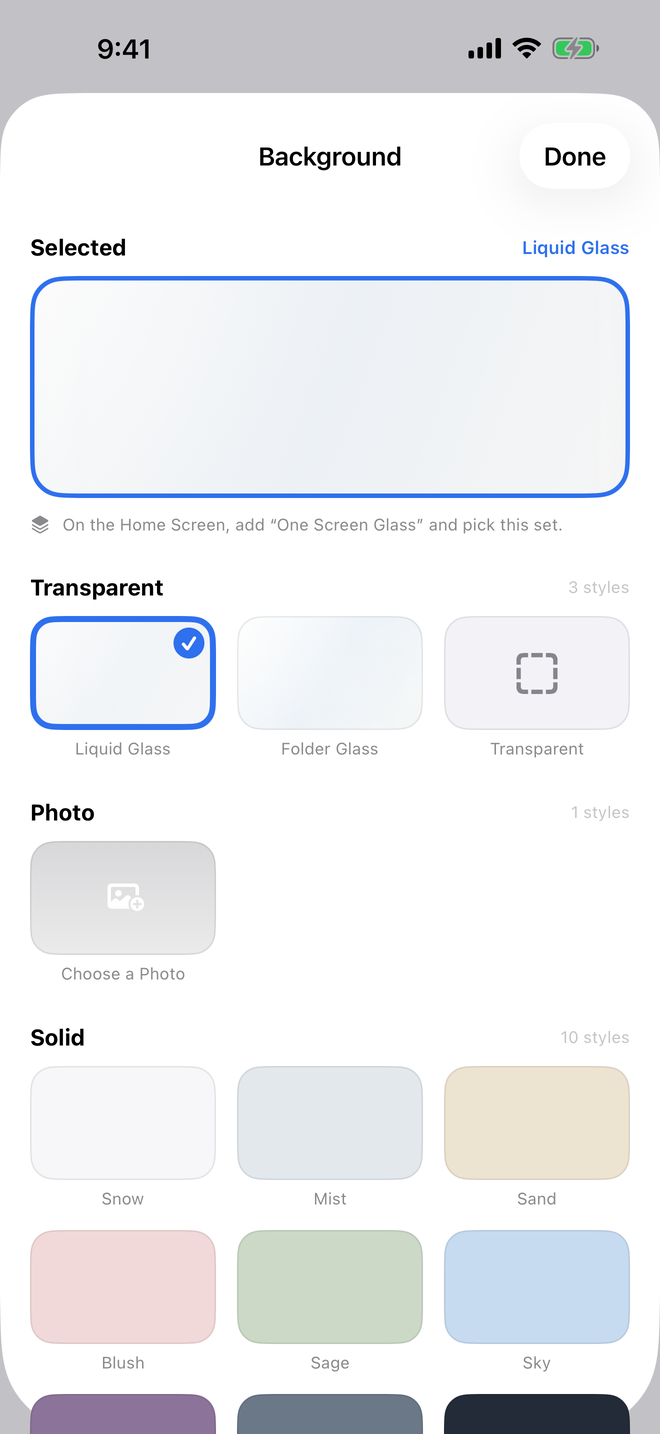
Build sets for work or weekends and several widgets of the same size can each hold a different lineup. Ten solid backgrounds are free. The one-time unlock adds ten gradients, nine patterns (marble, leopard, terrazzo, washi, seigaiha and more), and your own photos.
Up to 10 apps, the small widget, and 10 solid backgrounds.
Unlimited apps and sets, medium and large widgets, 20 backgrounds plus your photos.
What you add stays on your device. Nothing about your usage is collected.
 One Screen